QR codes that print crisp, every time

Download your QR in scalable SVG or high-resolution PNG. Built for flyers, packaging, menus, storefronts and physical events.
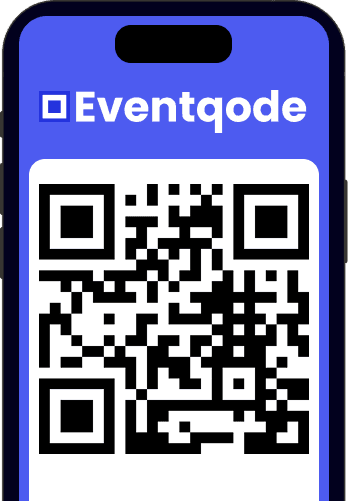
QR codes that print crisp, every time

Why it works for print and packaging

Technical details that keep your QR sharp on paper and easy to scan for years.

Scalable SVG, crisp at any size

Download as SVG so your print shop can scale the QR without quality loss: from business card to billboard.

PNG up to 512 px for packaging and flyers

Enough resolution for product packaging, labels and brochures. Fits any standard design workflow.

No watermark, no forced signup

Your QR is yours: generate, download and print. It only encodes the destination URL.

Custom colors that match your brand

Match background and foreground to your brand without losing the contrast ratio scanners need.

Where a printed QR shines

Real use cases with practical tips to make your QR scan on the first try.
Flyers and brochures

Recommended minimum size: 2 x 2 cm. Keep a quiet zone around the code and test scanning before printing 5,000 copies.

Packaging and product labels

High contrast and a white background under the code. Avoid dark or patterned backgrounds that cross the QR pattern.

Restaurant menus

Print on matte laminate or thermal film. Swap the QR on every menu change without reprinting the full menu.

Storefronts and signage

Use water- and UV-resistant vinyl. Place it at 1.40 m height so customers don't have to bend down.

Generate a print-ready QR in 30 seconds

  1. Type the destination URL. Paste the link you want your customers to land on: menu, landing page, product page, WhatsApp, etc.
  2. Customize size and colors. Pick a download size (128, 256 or 512 px) and tune the colors to match the surface where it will be printed.
  3. Download as SVG or PNG. Use SVG for professional print and PNG for digital design. Both come without watermarks.
  4. Print and verify scanning. Before mass printing, scan the QR with three different devices at the real usage distance.
QR codes that print crisp, every time

Frequently asked questions

Answers to the most common doubts when printing a QR code.

For standard flyers and packaging we recommend PNG at 256 or 512 px. For professional print, always download as SVG: it is vector and scales to any size without quality loss.

Yes. Keep high contrast (white or very light background under the code) and respect a quiet zone at least the width of one QR square around it.

A static QR keeps working as long as the destination URL exists. If your QR points to a menu that changes every season, choose a QR you can update without reprinting.

Yes. Use water- and UV-resistant vinyl and place it at a comfortable scanning height (around 1.40 m). Verify contrast and test scanning in direct sunlight.

Start generating your print-ready QR

No signup, no watermark. Download SVG or PNG in under a minute.